Guide / Sales
HelpQuotes
Every quote you've written, whether it's a flat price list, a Good/Better/Best ladder, or a proposal with sections and photos, and what happened to each one after you sent it.
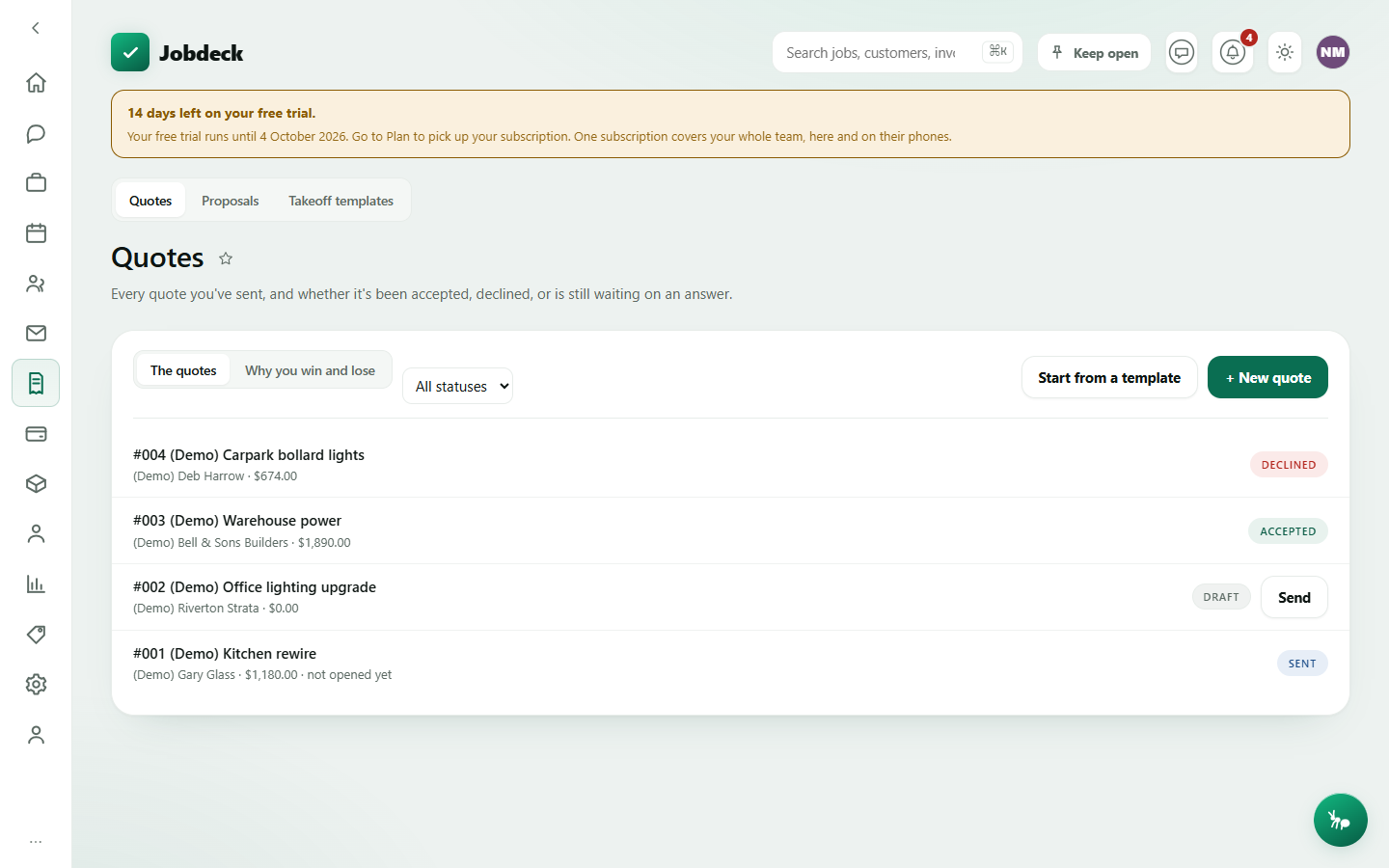
Quotes /quotes manager
- What it's for
- See every quote at a glance, and write a new priced one to send.
- Controls
- Status filter (All / Draft / Sent / Accepted / Declined); a "The quotes" / "Why you win and lose" toggle, shown only to whoever can see money.
- Buttons
- + New quote → Save quote; Start from a template; inside the form, + Add line, + Add labour (prefills at your saved charge-out rate — just enter the hours), and a price book / kit picker; per-row Send emails the customer and mints a public accept link.
- On the page
- Quote rows — number, title, customer, total, how many times it's been opened and followed up, and a status pill (Draft, Sent, Accepted, Declined, or Expired once past its valid-until date); the collapsible new-quote and start-from-template forms.
- Takes you to
- The quote detail.
Why you win and lose manager
- What it's for
- Every quote you've raised in a window, and how it ended — won, lost, or still waiting — with the reason a customer gave for saying no. Most small businesses can tell you what they won; almost none can tell you what they lost, or why, because until this there was nowhere to record it.
- Controls
- From / To dates, Use this window, Show everything. Quotes are counted by the day they were raised, not the day they were answered, so a July quote lost in September is counted in July.
- On the page
- A win rate that is never shown as 0% when nothing has been answered yet — it says so instead; a table of outcomes (accepted, declined, still open) with count and worth; a table of decline reasons and their share of what was lost; and, where a customer left one, what they actually typed.
A dollar total here is a floor whenever some of the quotes behind it were never priced — it says so rather than understating what a lost quote was actually worth.
Proposals /proposals manager
- What it's for
- There's no separate proposals table — a proposal is a quote with sections of words and pictures hung off it. This tab is the same quote list again, with a count of how many sections and photos each one carries, so you can see at a glance which quotes went out as a proper document and which as a plain price list.
- Controls
- Status filter.
- Buttons
- Per row, Build a proposal or Open proposal — opens the Proposal builder behind that quote (see Quote detail).
- On the page
- Quote rows with their section/photo count, showing "counting…" while it loads and "could not check this one" on a failed lookup — never a silent zero.
Take-off templates /takeoff-templates manager
- What it's for
- A standard job's worth of kits, at quantities, pulled into a quote in one pick — the level above a single kit from the price book. A leading hand who quotes can pull the standard rough-in into a job without being able to redefine what it is.
- Buttons
- Open a template to preview it; adjust the quantity per line for the job in front of you (leave one blank to use the template's own amount — entering 0 is a real instruction to leave that line out, not treated as empty); Put this on a new quote.
- On the page
- The previewed lines with their live re-priced total, a materials total, an install-time total, and — before the button, not after — a refusal naming exactly what's broken, such as a missing price or a missing fit time.
- Takes you to
- A new quote, built from the template.
Reading a template needs Settings access or quoting access — so the person who maintains the price book and the person who quotes are both let in. Applying one to a quote needs quoting access. Creating or editing a template is a Settings job, done from Price book, not from here.
Once a quote is written, everything you can do with it — send it, tier it into Good/Better/Best, turn it into a proposal, or record what the customer decided — happens on the quote itself.