Guide / Sales
HelpQuote detail
One quote, and everything you can do with it: send it, tier it, turn it into a proposal, and record what the customer decided.
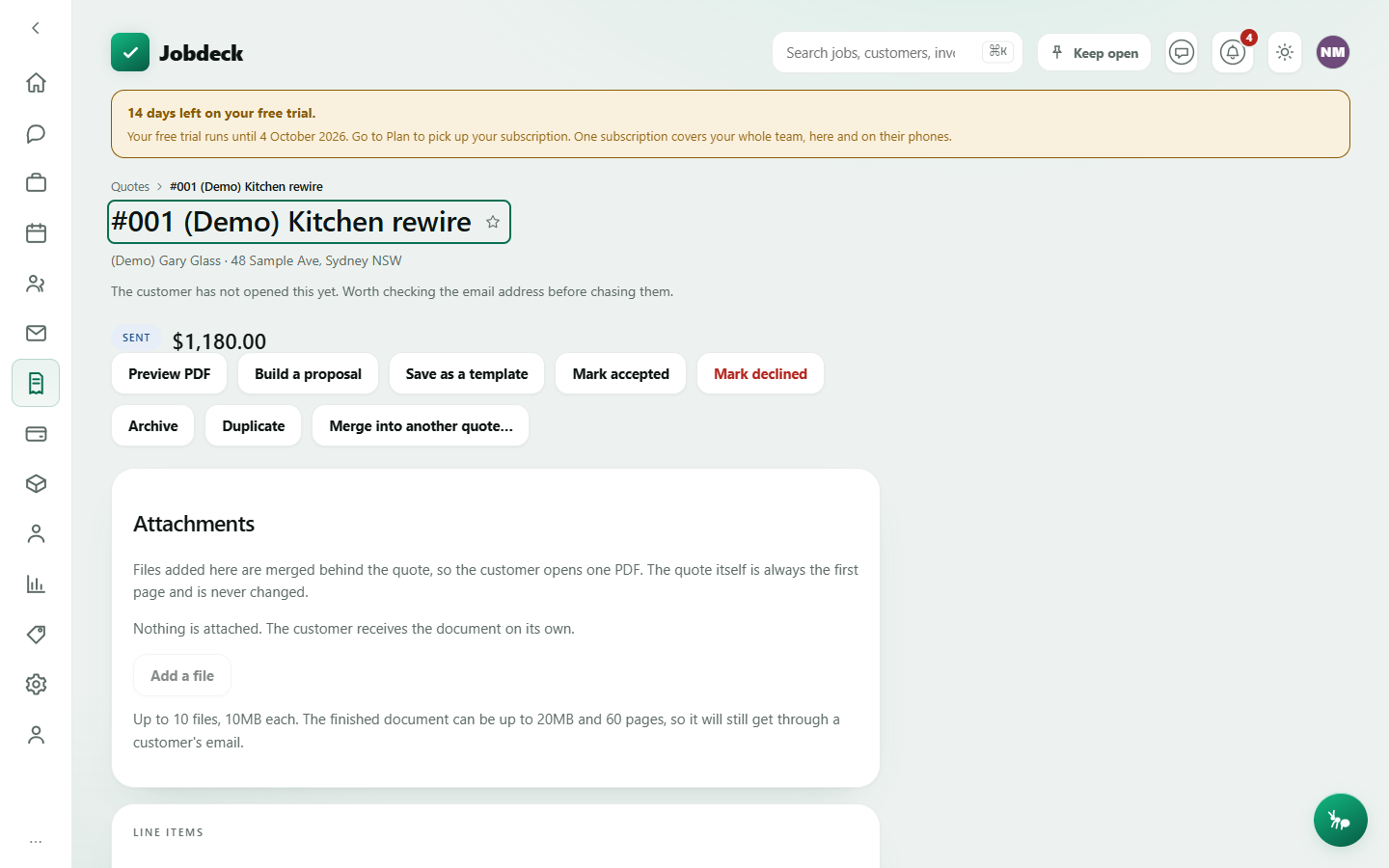
Quote detail /quotes/:id
- What it's for
- Open one quote to see everything on it, send it, record the customer's decision, build tiered options or a proposal, raise a deposit invoice, and archive, duplicate or merge it.
- Buttons
- Send to customer emails the customer and mints an accept link; Preview PDF; Build a proposal / Open the proposal (flat quotes only — a quote is a tier ladder or a set of sections, never both); Add/Edit good/better/best (draft only); Mark accepted creates a job / Mark declined; Delete (drafts only); Raise deposit invoice creates an invoice — shown once a deposit amount is set on the quote; Archive / Bring back; Duplicate; Merge into another quote… archives this quote onto the one you pick — there's no button that puts it back; Save as a template.
- On the page
- Status pill, including Expired once past the valid-until date; who signed and when, if accepted electronically; how many times the customer has opened it, and whether that's worth a call rather than an email; a banner if the quote has run out or is archived; why it was declined, when a reason exists; tiered option cards or classic line items with GST; how the quote is laid out into sections, once it's a proposal; scope of works, inclusions and exclusions; notes; custom fields.
- Takes you to
- Back to Quotes; the Proposal builder; an invoice (the deposit); another quote (a merge target).
Opened by the customer, and how often
Sarah opened her quote three times and hasn't answered is a completely different phone call from Sarah never got it. A count of zero is shown, not hidden — on a sent quote it's the real and useful fact that nobody has looked yet.
Good, better and best
Give the customer up to three priced tiers — Good, Better, Best — each its own package of line items, built the same way as a normal quote from the price book or from a kit. They pick one on the accept page. Saving options replaces the flat quote entirely: a quote is a tier ladder or a set of sections, never both, and the server refuses the mix.
Building a proposal /quotes/:id/proposal
- What it's for
- Turns a price list into a document. Sections of prose, each with its own words, its own lines and its own subtotal. Mark a section optional and the customer ticks it in or out themselves on the quote link; give two sections the same "choose-one group" name and they pick exactly one of them.
- Buttons
- + Add a section → Add section; per section, Edit heading, Add lines / Edit lines, Remove heading (its priced lines stay on the quote as plain lines — nothing is deleted); Add a photo, Record a voice note (recorded straight from the browser's microphone and uploaded the moment you stop), Add link (a video — has to be https, since it's shown on a page you hand your customer).
- On the page
- The running total split into sections that are in and add-on lines they could still tick; once accepted, a locked snapshot of exactly what the customer agreed to and what was offered and turned down.
- Takes you to
- Back to the quote.
Scope, inclusions and exclusions
Three text blocks that print on the quote PDF and show when the customer accepts. Spelling out what's not covered is the biggest lever against a "that wasn't included" dispute. Editable while the quote is a draft; read-only once it's sent.
Residential building work. Tick this box on the quote and the deposit you can take is capped at 10% of the quote total, under the NSW Home Building Act 1989 s8. Taking more than that is an offence.
Save as a template, duplicate, merge, archive
Four bits of housekeeping worth knowing. Save as a template records how many lines are linked to your price book — re-priced every time you use it — and how many are frozen at today's price, so you can see what a saved template will and won't update. Duplicate copies the customer, site and priced lines into a fresh draft. Merge moves everything on this quote onto another one you pick and archives this quote pointing at it — there is no undo. Archive is separate from delete: only a draft quote can be deleted outright.