Guide / Money
HelpInvoices
Every invoice you've raised, what's been paid and what's still owing, plus the tools that sit around the register: batch billing, aged receivables, recurring bills, unmatched payments, and the Security of Payment register.
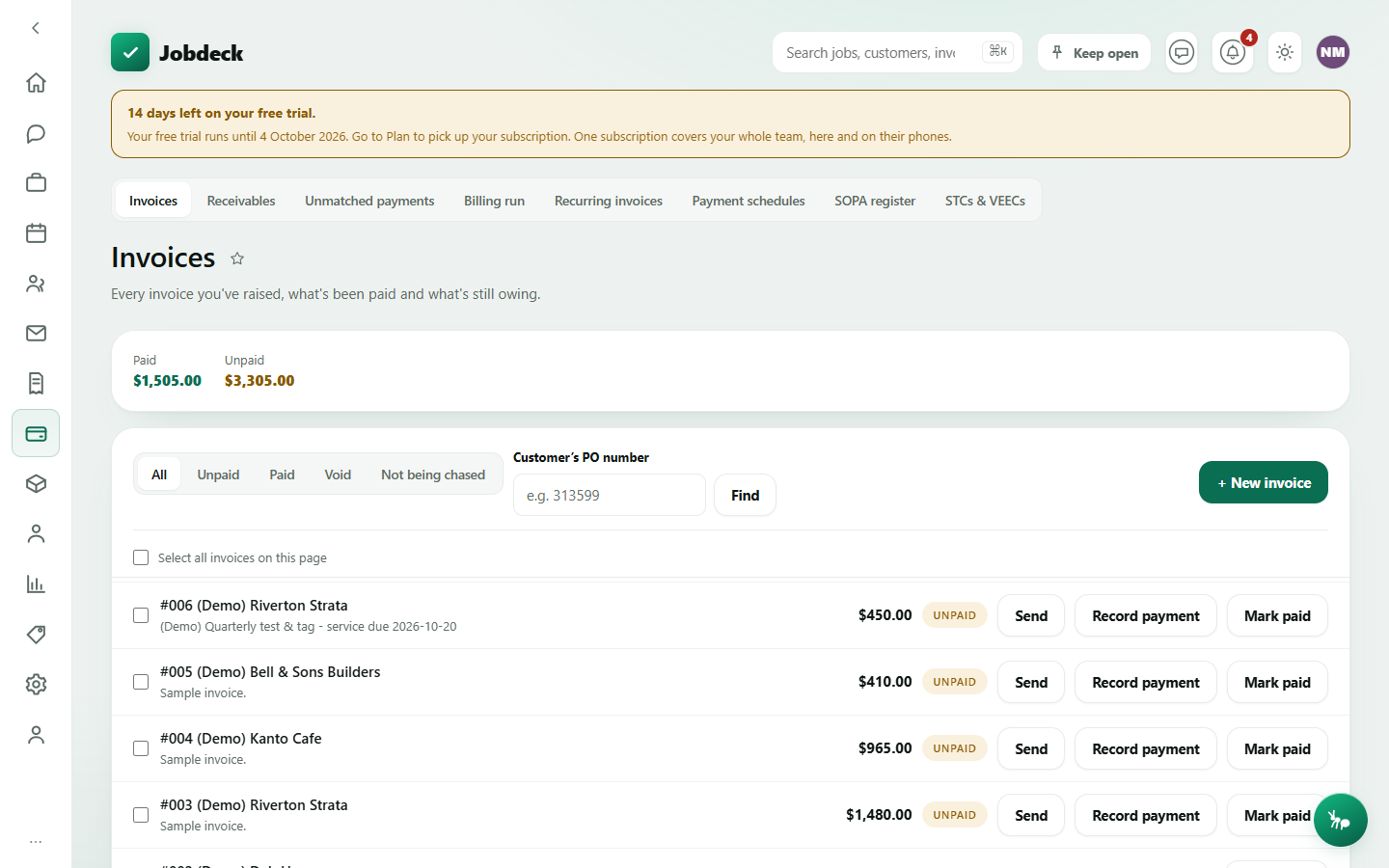
Invoices /invoices manager
- What it's for
- See money in versus money owed, and raise, send and chase invoices quickly.
- Controls
- Tabs — All / Unpaid / Paid, plus Awaiting approval (only shown once your business turns approval on) and Not being chased (invoices whose overdue notices are stuck); search by the customer's PO number.
- Buttons
- + New invoice → Save invoice; per-row Send outbound, Record payment, Mark paid, Undo paid; tick rows for bulk Send, Chase overdue, Mark paid, Void can't be undone.
- On the page
- Paid and Unpaid totals, and an Awaiting approval count when approval is switched on; a banner if a just-raised invoice is missing something the ATO needs; rows carry the claim label (e.g. "Claim 3 of 7"), the customer's own PO and request numbers, a "part paid" line, and a flag when the automatic overdue chaser has stopped on an invoice because its emails are bouncing.
- Takes you to
- The invoice detail.
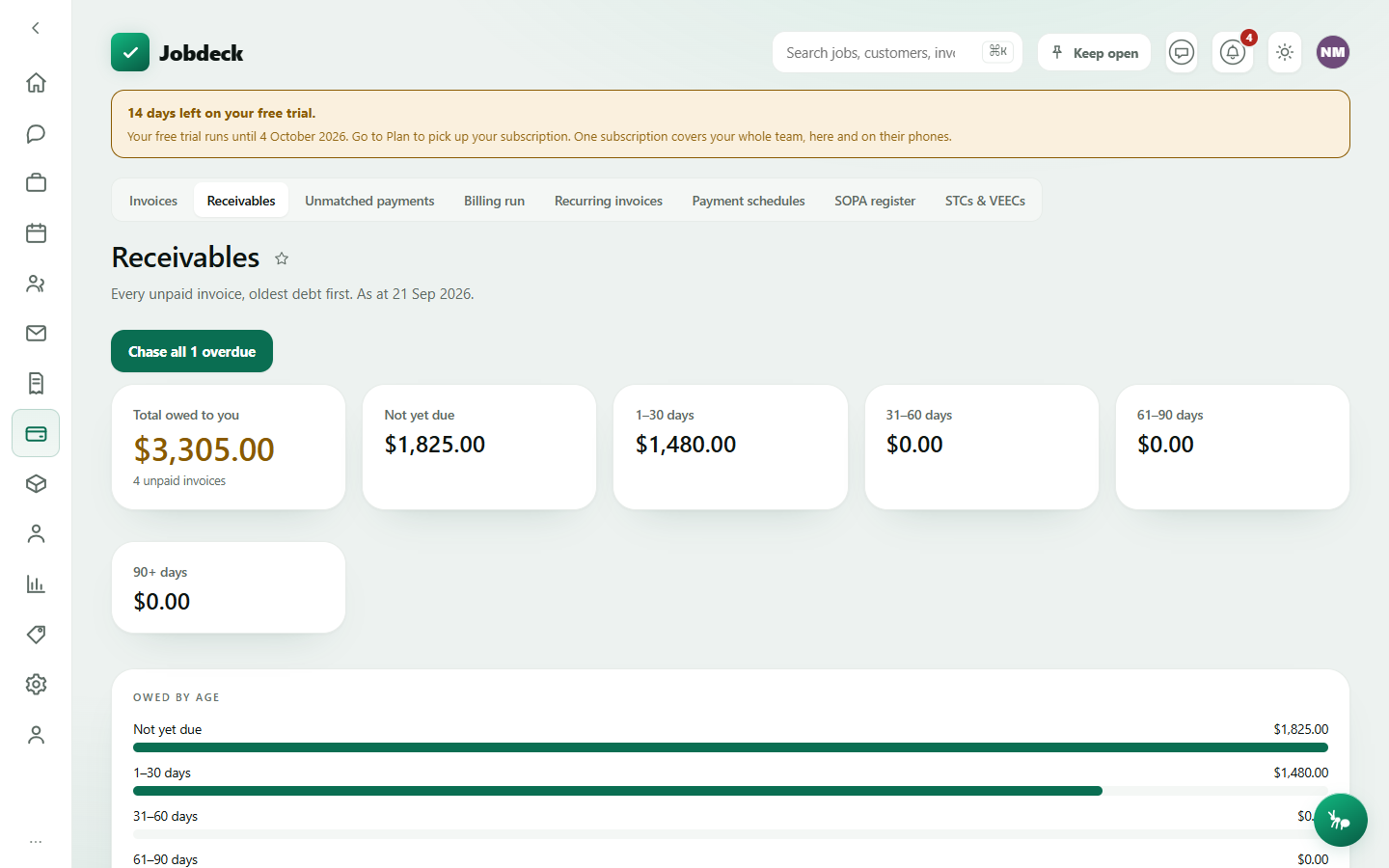
Receivables — who owes you /receivables manager
- What it's for
- Every unpaid invoice, oldest debt first — the screen research found the single most useful one to a boss at a desk in the evening.
- Controls
- Sort by customer, days overdue (default), or amount owed.
- Buttons
- Chase all N overdue emails a reminder to every genuinely overdue invoice in one go; per-row Send reminder outbound.
- On the page
- Total owed to you; a banner for invoices still waiting on approval (not late and not counted below — nobody's been asked for the money yet); retention held on jobs, split into claimable now and not yet due; aged buckets (Not yet due, 1–30, 31–60, 61–90, 90+ days) shown as bars as well as figures; who the debt is concentrated in, biggest debtor first, linking through to their record; the unpaid invoices themselves.
- Takes you to
- The invoice detail; a customer's record.
Unmatched payments /unmatched-payments manager
Card payments the app couldn't place on its own — usually because the invoice it was meant for was already paid another way, was voided after the pay link went out, or the customer paid more than the invoice and covered the card surcharge. Nothing here resolves itself: you pick where the money actually belongs.
- Buttons
- Apply to invoice… (records it as a real payment and reduces that invoice's balance); Mark handled… (asks for a note — e.g. refunded, reconciled elsewhere).
- On the page
- Received date, provider, amount, why it didn't match, the provider's own reference for finding it on a bank or Stripe/Square statement, and which invoice it landed on, if any.
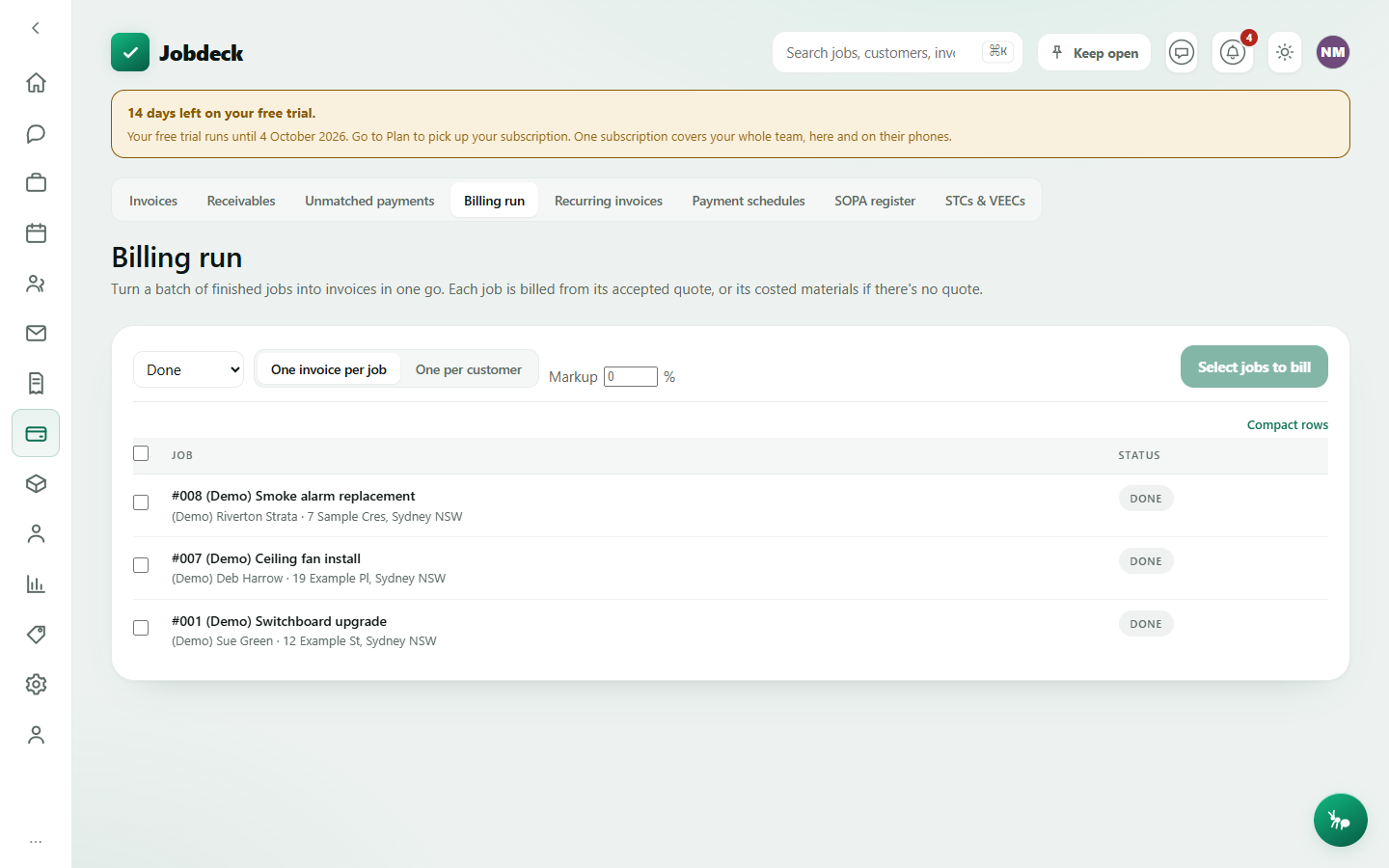
Billing run /billing-run manager
- What it's for
- Turn a batch of finished jobs into invoices in one pass instead of raising them one at a time — the single most painful monthly desk task.
- Controls
- Status filter (defaults to Done); One invoice per job / One per customer; an optional markup % added to material-cost lines only — never to an agreed quote price.
- Buttons
- Create N invoices raises them; tick rows, or select all on this page.
- On the page
- A jobs table to tick. Each job bills from its accepted quote, or from its costed materials if there's no quote — an "at cost" tag flags a line priced from materials rather than an agreed price, worth a check before sending. A result banner lists every invoice created, and any jobs skipped and why (nothing to bill, already invoiced, and so on).
- Takes you to
- Each new invoice; Invoices.
Recurring invoices /recurring-invoices manager
The monthly bill that goes with the monthly visit. A strata contract or a maintenance agreement used to get billed by somebody remembering, which is the same as billed late. Set the amount and how often once, and it raises itself.
- Buttons
- + New recurring invoice → Save schedule; per schedule, Bill now (only bills a period that's actually due — pressing it twice doesn't raise a second invoice), Pause / Resume, Turn auto-send on every invoice this raises then goes straight to the customer with nobody checking it first, Run history, Delete (keeps invoices already raised).
- On the page
- Cadence, the next run date, how many invoices have been raised so far, whether auto-send is on, and — opened per schedule — a full run history, including the periods it deliberately skipped and why.
Auto-send defaults off. An invoice raised and held is fixed in ten seconds; one already emailed to a commercial client's accounts payable costs a phone call and some of the relationship.
Payment schedules /payment-schedules manager
For every Security of Payment claim you've served: the business-day window your state's Act gives the other side to respond, and what they actually proposed to pay if they answered. It states dates and days only — it never says anybody has become liable, that a claim is now payable, or that a schedule is valid. Those are legal conclusions this tool isn't qualified to make.
- Buttons
- Record when a claim was actually served (starts the clock — can be corrected or cleared); Record a payment schedule (amount proposed; a reason is required if it's less than the full claim; 0 is accepted as a real answer, not a blank); Show all recorded — every schedule ever recorded against a claim, kept, because a replacement never erases what came before.
- On the page
- Claims grouped by how urgent their response window is, then Answered; each row shows the Act, when it was served, the window's end date, days left, and the latest schedule received.
The response window is only counted for NSW, because that's the public-holiday calendar Jobdeck holds. A QLD or VIC claim still shows in full, with its window marked "not counted" and why — a short list here is meant to read as urgent, never as nothing outstanding.
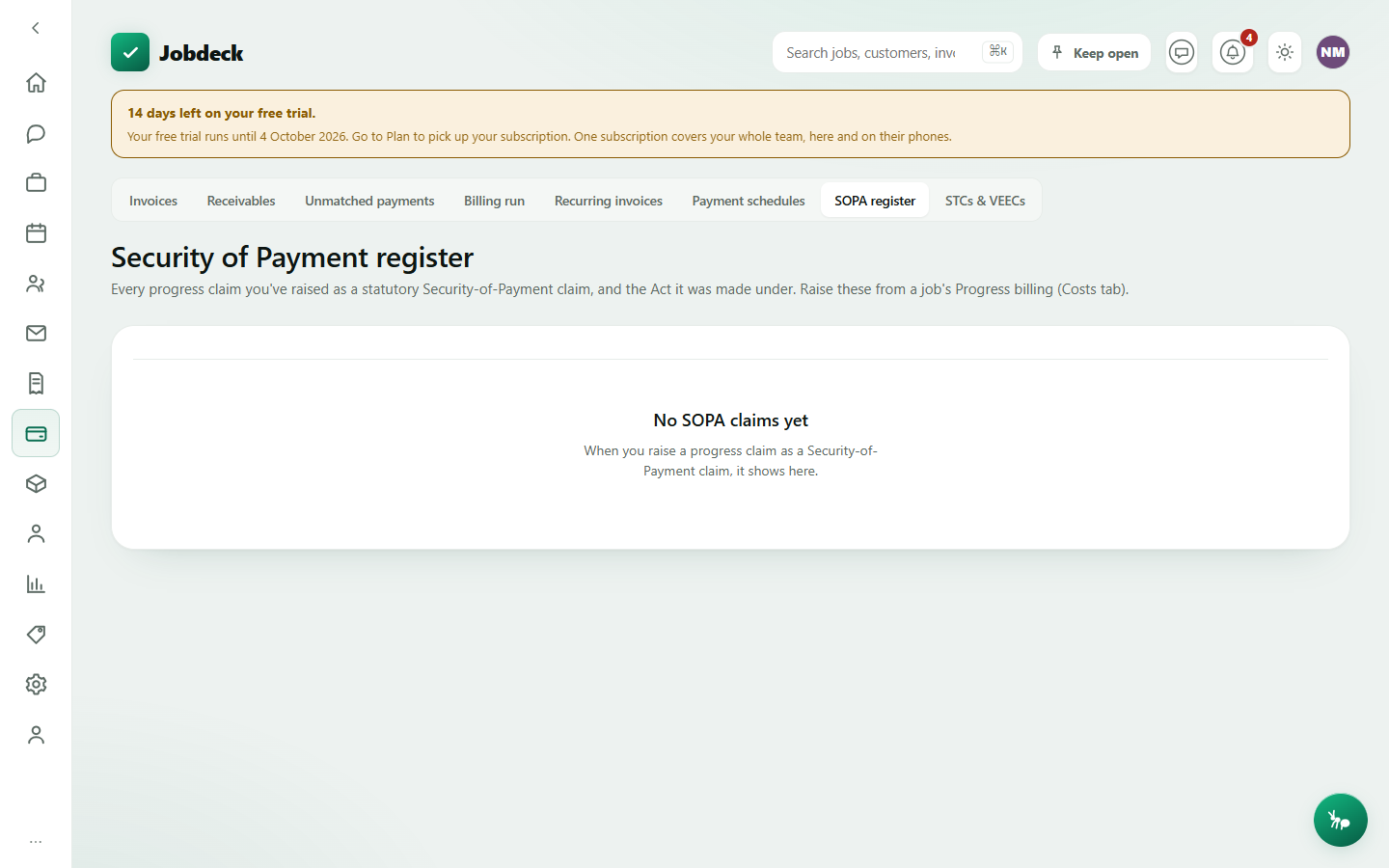
SOPA register /sopa-register manager
- What it's for
- A business-wide record of every progress claim you've raised as a statutory Security of Payment claim — the register you reach for if a claim ever goes to adjudication.
- On the page
- Invoice, customer, the Act it was made under, amount, claimed to date, status, date issued.
- Takes you to
- The invoice detail. Raise a claim from a job's Progress billing (its Costs tab), not from here.
Which states this covers. Jobdeck carries the statutory endorsement wording for NSW, QLD and VIC only. Raise a claim for any other state or territory and the document says so itself — the endorsement isn't available yet, so it may not meet that state's requirements for a statutory payment claim. Check the Security of Payment legislation that applies where you are. Jobdeck produces these documents; it doesn't give legal advice and it doesn't lodge anything with a regulator.
STCs and VEECs /energy-certificates manager
Certificates you're owed for solar or energy-efficiency work that's already finished — revenue that sits on the floor because the job is done, the invoice is paid, and nothing else on screen says it's unfinished. Certificates can only be created within twelve months of the install; after that the money's gone, not late.
- On the page
- An outstanding total that's a floor, not a final figure, whenever some parcels haven't been priced yet — and says so; a by-scheme breakdown, since STCs and VEECs have separate agents and separate markets; a chase list, oldest job first, flagging anything close to or past its twelve-month deadline.
Open one invoice — from any of these screens — for everything you can do with it, covered on the next page.