Guide / Money
HelpInvoice detail
One invoice, and everything you can do with it: send it, chase it, take a payment, charge a late fee, credit part of it, or answer what the customer wrote back.
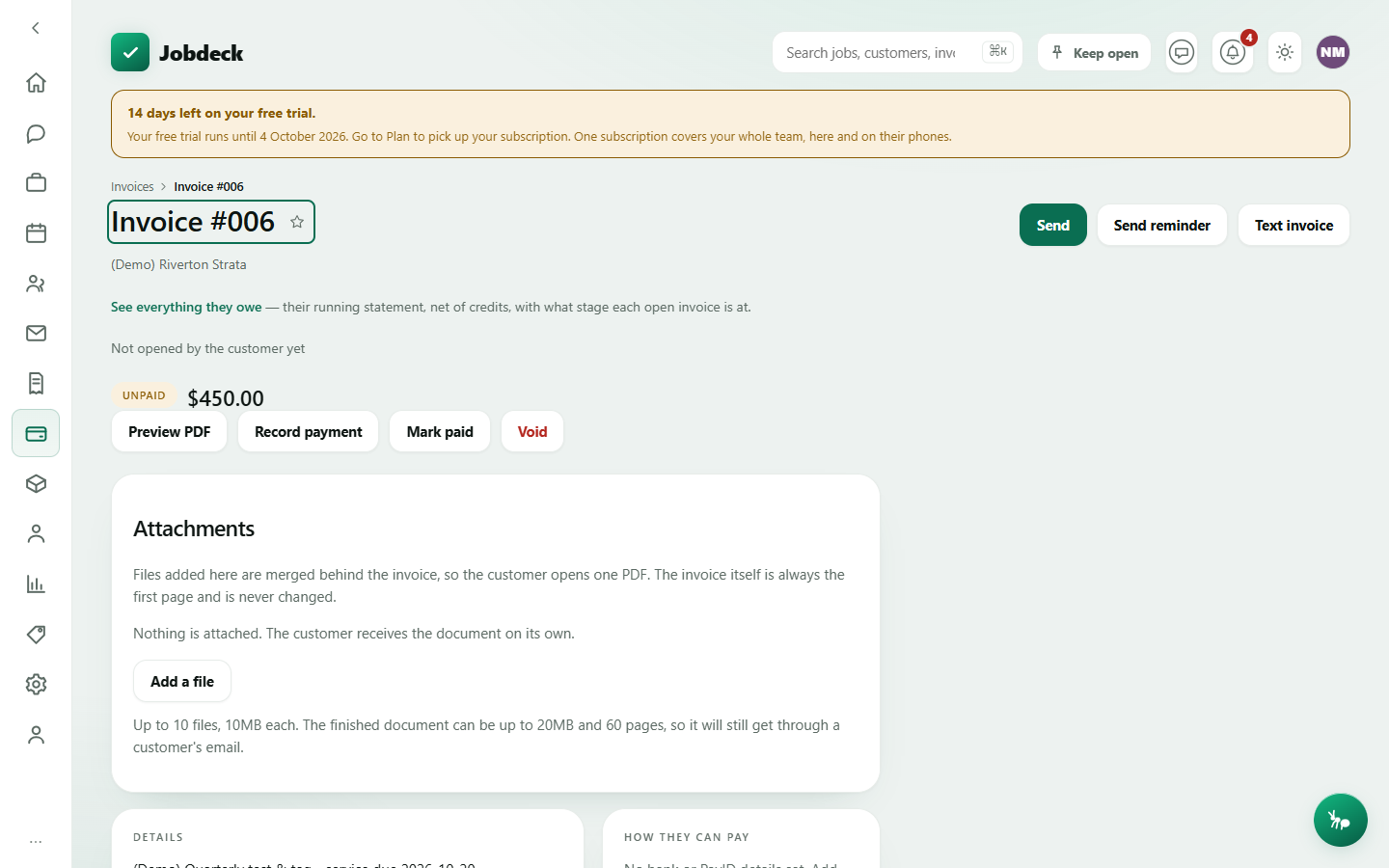
Invoice detail /invoices/:id
- What it's for
- Open one invoice to send it, chase payment, record what's come in, take a card payment, void it, credit part of it, or answer a customer's comment.
- Buttons
- Send / Send reminder outbound, emails the customer; Text invoice outbound, sends an SMS — links to the customer's own portal, since a text can't carry the PDF; Approve / Send for approval (only once your business turns approval on); Preview PDF; Record payment; Mark paid / Undo paid; Create pay link; Void stops it being sent, paid or reminded again; Issue credit note creates a document that reduces what's owed and your GST; Attach to this customer (for an invoice raised against a typed name only).
- On the page
- Their PO and request numbers — their reference, not yours, and a commercial customer's accounts payable won't pay an invoice missing it; a link through to everything that customer owes; status pills including a claim label and an approval state; how many times the customer has opened it; a part-paid banner (how much has come in, how much is still owing); a banner if overdue notices have stopped going out, and why; the statutory SOPA endorsement and any out-of-time warning, on a progress claim; line items with GST; how they can pay (bank/PayID); the late payment term and what's actually been charged under it; money that came back; credit notes; the customer's own comment thread.
- Takes you to
- Back to Invoices; the customer's record; Business settings, if there are no bank details or late-fee default set yet.
Attachments — a certificate, a spec sheet, site photos — can be merged in so the customer opens one PDF. The invoice itself is always page one, and nothing in that panel can change that.
Late payment fee
Three different documents, not two. Nothing set says nothing about late payment. A rate of nil still prints the term, just at zero — somebody typed 0 on purpose. A real rate lets a fee actually be worked out. A rate set on the invoice itself always overrides your business default, including overriding it to nil.
- Buttons
- Charge the late fee (a reason is optional and shown next to the entry); Take this fee off — a removed fee stays on the screen with the removal noted, never disappears without a trace.
- On the page
- What's owed including any live fee; each fee charged, with when and how it was worked out; a GST note.
Credit notes
The ATO calls it an adjustment note. It reduces this invoice by an amount — a returned item, a goodwill discount, a corrected overcharge — without voiding it, and nets off both what's owed and your GST. Separate from voiding, which cancels the whole thing.
- Buttons
- Issue credit note; per note, PDF.
- On the page
- Each credit note with its own number and date; the total credited; net still owed.
A refund you sent, or a payment the customer's bank clawed back, shows separately as "money that came back" — if an invoice went back to unpaid on its own, this is why.
Customer comments
The customer's own comment thread on this invoice, reached through a link you issue them, and everything you can do about it here: reply to one line or the whole invoice, mark a query resolved, and mark the invoice disputed. Whatever you type into a reply is shown to the customer — there's no internal-note option on this panel, since job notes already exist for anything not meant for them.
- Buttons
- Issue comment link / Revoke; per comment, Reply, Resolved; Mark this invoice disputed / Clear — settled.
- On the page
- The thread, oldest first, who wrote each line and whether it's resolved.
Marking disputed is the only thing that pauses the chase. A comment on its own doesn't stop overdue notices going out — you have to mark the invoice disputed for that, and clear it once it's settled to resume chasing from wherever it had reached.