Guide / Sales
HelpCustomers
Your customer book, and everything filed under it in the Buying & Customers nav area — sites, the gear you've installed, waivers and consent forms, service plans, prepaid hours, feedback and your referral programme.
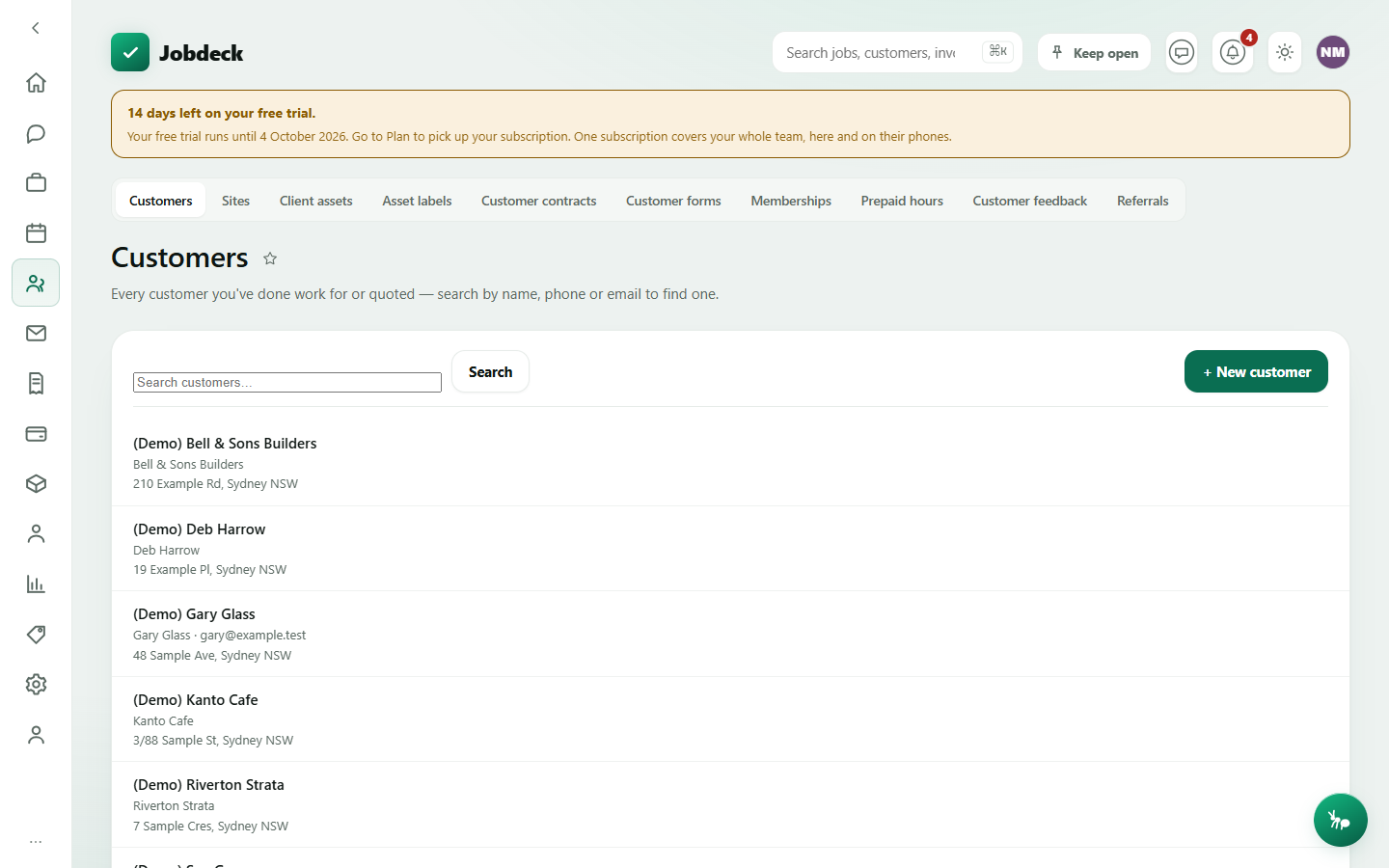
Customers /customers
- What it's for
- Search your whole customer book and add a new one.
- Controls
- Search by name, phone or email; a tag filter once you use tags; a Groups panel further down the page that swaps the register for one customer group at a time (Strata, Builder — set the groups up here too).
- Buttons
- + New customer → Save customer; Review on the Possible duplicates card, when Jobdeck spots two records sharing a name, phone or email.
- On the page
- Customer rows — name, an "On stop" flag if they're on stop (shown to everybody, since it carries no figure and is exactly what somebody about to book work needs to see), contact name, phone, email, site address; a banner if your list runs past the first page of results.
- Takes you to
- The customer detail.
Sites /sites
- What it's for
- The addresses you actually work at, as records in their own right rather than a line of text on a customer. A strata block has three customers sharing one address; a building changes hands and the work history belongs to the building, not to whoever is paying this year.
- Controls
- Search a label or an address; Zone filter; Show archived.
- Buttons
- + New site → Save site (filed under a customer you pick).
- On the page
- Site rows — label, site number, address, zone, and a "Site rate" pill where pricing is overridden for that address (money access only); a Site reminders card for things known on site and forgotten in the office — a gate code, a padlock that needs recoding — with a jump straight to the site.
- Takes you to
- The site record.
Client assets /assets
- What it's for
- The gear you've installed at customers' sites — switchboards, air-con, hot water, smoke alarms, test & tag — each with a next-service date, so the maintenance work, and the repeat revenue, never slips.
- Controls
- Only due/overdue toggle; List/Map toggle (a second view of the same register — most items have no location pinned, so the list stays the default).
- Buttons
- + Add an asset → Add asset; per-row Record a test (pick the test instrument once for the round, and the next-due date is computed from the item's own retest interval — never typed by hand), History, Archive.
- On the page
- Asset rows — name, category, customer, location on site, make/model/serial, next service date, a status pill (overdue / due soon / up to date); History expands into a table of every test recorded against that item.
Asset labels /asset-labels
- What it's for
- Printable QR stickers for the gear on the Client assets register. Scanning one opens that item's own page — what it is, when it was last tested, when it's next due — with no sign-in, so a tenant or a building manager can read it.
- Controls
- Search by name, customer, make, serial or location.
- Buttons
- Per row Show code (mints one if the item doesn't have one yet) / Reissue (issues a fresh code — every sticker already printed for that item stops working) / Remove code; tick a batch and Print a sheet (printing mints a code for any ticked item that doesn't already have one).
- On the page
- Your gear with a Sticker column that reads "not known" until you press Show code on that row — Jobdeck never reads the codes back on its own, because minting one issues a live public link and it won't do that just to fill in a column.
Customer contracts /contracts
- What it's for
- Maintenance agreements coming up for renewal, and the ones that have already run out. Jobdeck warns you at 90, 60, 30 and 14 days before one ends — this is the screen that warning sends you to.
- Controls
- Looking-ahead window, 30 to 365 days.
- On the page
- A "What is at stake" card (contracts in the window, how many have already run out, total value — stated as "Not set" rather than a false $0 when a contract has no price on it, since a schedule-of-rates agreement isn't worth nothing); rows with a status pill and whether the contract renews itself, said in words both ways round.
- Takes you to
- The customer it belongs to. A contract itself is added from that customer's own page, not from here.
Needs money access (or the read-only accountant seat) — every figure on this page is money.
Customer forms /customer-forms
- What it's for
- Write a liability waiver, an access consent or a photo consent once, save it as a reusable template, then send a signable copy to a customer — or anyone else outside the business. They e-sign it from an emailed link. No printing, no scanning.
- Buttons
- Templates: + New template → Save template, Edit, Delete. Documents: + New form (start from a template or write from scratch) → Save as draft; Send to sign (emails the recipient a signing link); Resend; PDF; Void (a record, not a delete).
- On the page
- Your saved templates; every document you've raised, with its status — Draft, Waiting on signature, Signed, Declined, Voided.
Needs the quoting (issue_quotes) permission.
Memberships /memberships
- What it's for
- Service plans you sell — an annual safety check, a priority-callout agreement — with a term, a price and the discount it earns. Set the plan up here; give it to a particular customer from their own page.
- Buttons
- Set up a plan / Set up another plan → Save; Change it per row.
- On the page
- Your plans — name, term, price and discount (money access only), On offer / Retired status; a "Who is about to lapse" card that includes plans that have already run out, since a plan that lapsed three weeks ago is a customer still expecting the discount and no longer paying for it.
Prepaid hours /prepaid
- What it's for
- Hours or dollars a customer has paid for up front, and what you still owe them as work. This is a liability, not a sale — the number that matters is what has NOT been used.
- Controls
- Expiring-within window.
- Buttons
- + Record a block → Save block; per block Open customer, Cancel block (a record kept, not a write-off — cancelling is never how a balance disappears).
- On the page
- Stat tiles for money and hours still owed, blocks overdrawn and blocks that couldn't be valued; cards for Overdrawn (invoice the excess), Expired with a balance (agree what happens to it — nothing here writes it off) and Running out soon; every active block in a table.
Needs money access. Blocks are drawn down from the job's own Prepaid card, not from here.
Customer feedback /feedback manager
- What it's for
- What customers said after the job, what you said back, and which ones agreed you may publish their words as a testimonial.
- Controls
- Answered / Asked, waiting tabs.
- Buttons
- Reply → Save reply; Mark as a testimonial; Publish (needs all four: they answered, they consented, you've marked it a testimonial, and there are words to show) / Take it down.
- On the page
- Your rating, broken down by star (a real average only once five answers are in — below that, the server's reason why not); a warning on any low rating with no reply yet, so it's the first thing you deal with.
Referrals /referrals
- What it's for
- Refer another business and earn credit once they become a paying subscriber — not when they sign up, and not for a trial or a comped account.
- Buttons
- Make a code, Copy, Switch off (a code is retired, never deleted, so referrals already made under it keep their credit); Mark honoured on a qualified referral; Record the code to redeem one you were given.
- On the page
- Your codes; credit earned versus already honoured (nothing here moves money — it is recorded so it can be honoured some other way); who you've referred, with status and the credit each one is worth.
Where "Sites" fits with the customer's own address book. This Sites screen is the full register — zones, reminders, a rate override. A customer detail page also carries a lightweight Sites card of its own (label and street address only) for a strata or property manager with several buildings under one account; the two show the same underlying addresses.