Guide / Buying
HelpBuying
Your whole procurement and stock module — suppliers, what's on order, what's still owed to you, what's in stock, subbies you engage as work orders, and the plant register. Sixteen screens live under this one nav area; this page covers all of them.
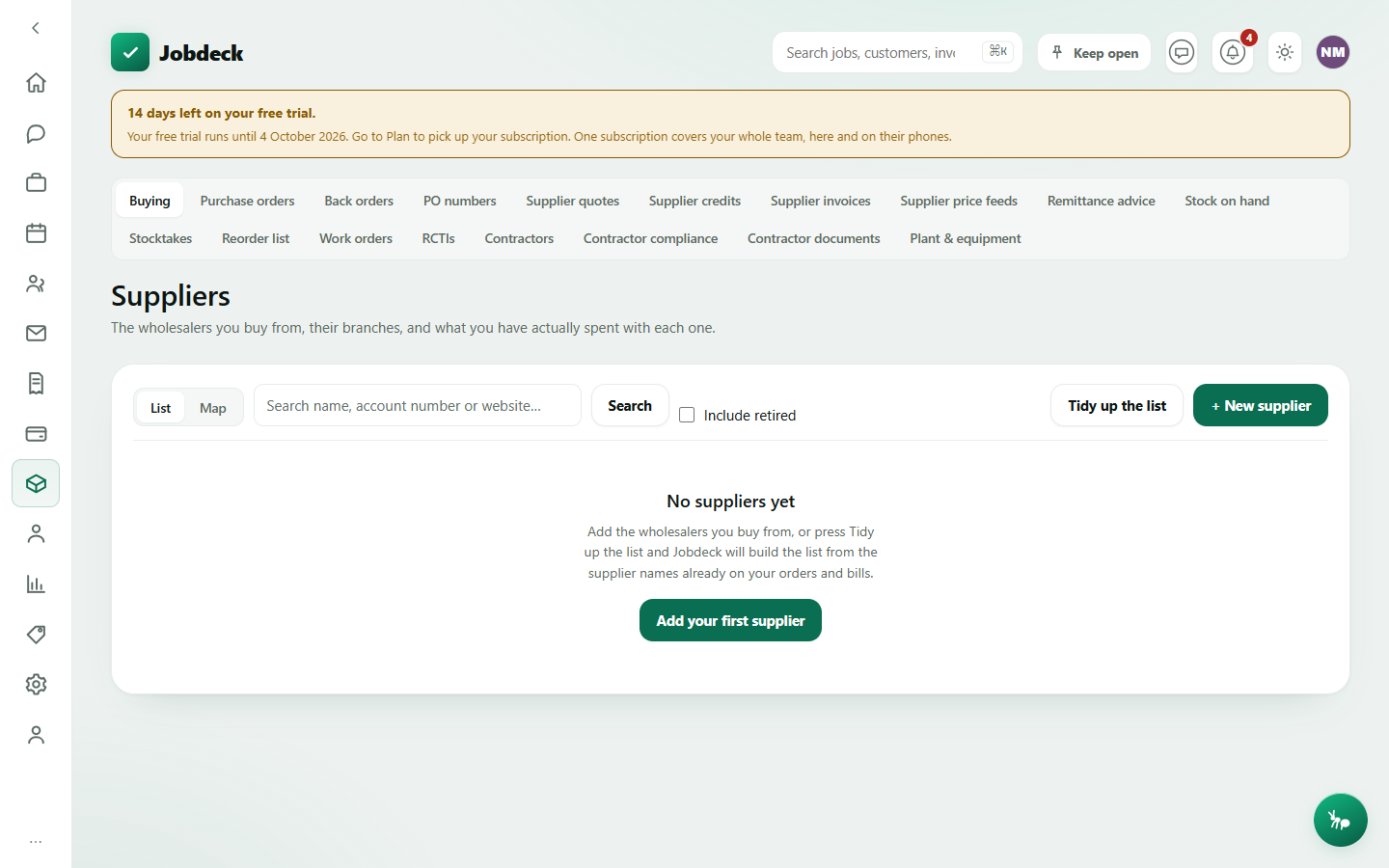
Suppliers /suppliers
- What it's for
- The wholesalers you buy from, their branches, and what you've actually spent with each one — the directory that stops "Middys", "Middy's" and "MIDDYS" being three different suppliers with no phone number between them.
- Controls
- List/Map toggle (a second view of the same directory — a branch needs a recorded location to show on the map); search by name, account number or website; Include retired.
- Buttons
- + New supplier → Save supplier; Tidy up the list (matches supplier names already typed on your orders, bills and catalogue to real supplier records); per supplier Open / Retire / Bring back; inside a supplier, + Add a branch, Make default, Remove branch.
- On the page
- Supplier rows with branch count, the default branch and its phone/email as tap-to-call and tap-to-email links; opening one shows its branches and, with money access, what you've bought from it — orders, bills, their quotes, credits and a net-spend figure.
Purchase orders /purchase-orders
- What it's for
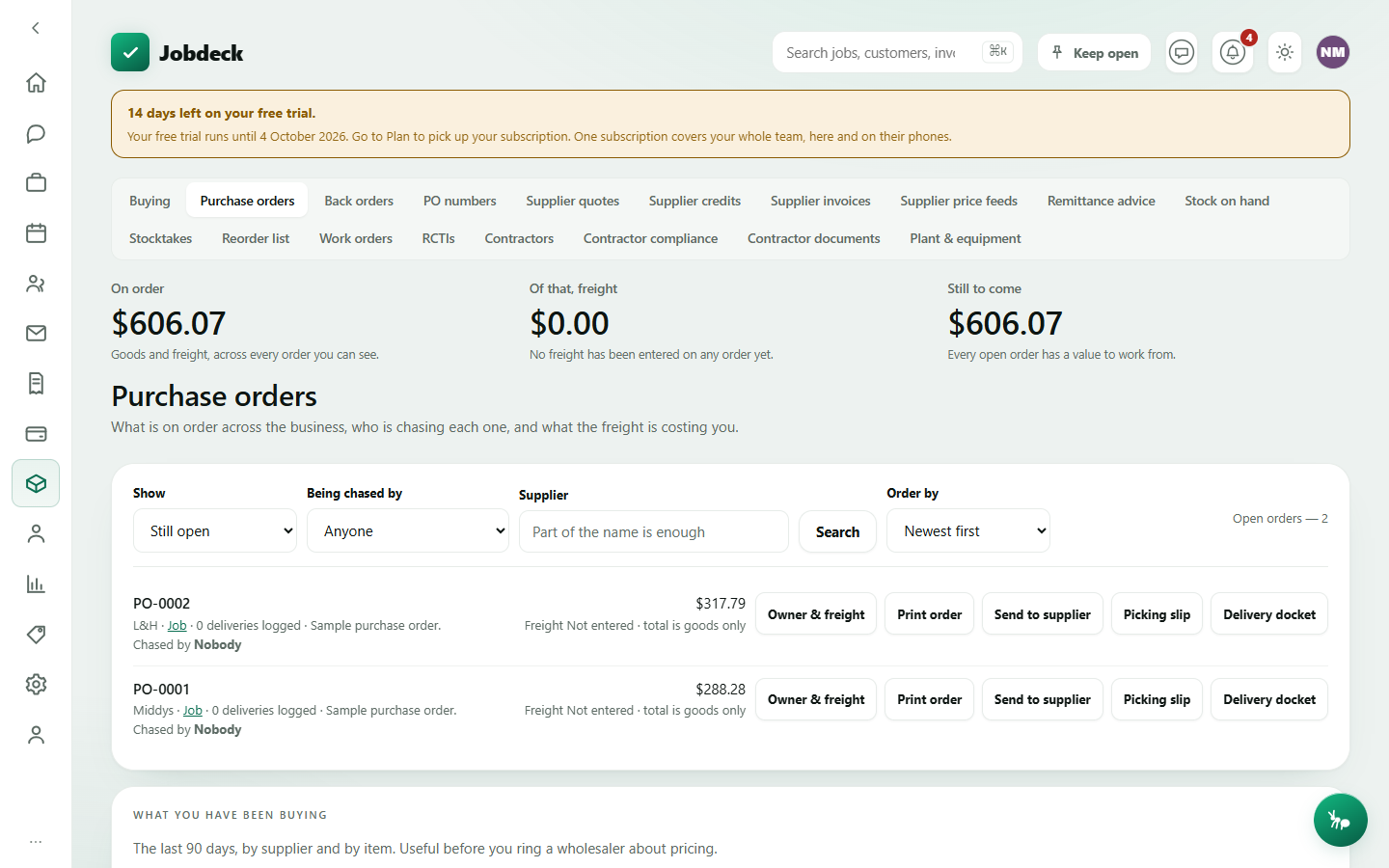
- What's on order across the business, who is chasing each one, and what the freight is costing — three things that were finished on the server for a long time with no screen anywhere calling them.
- Controls
- Show (open / received / cancelled / everything); Being chased by (anyone / just mine / a crew member); supplier search; sort order.
- Buttons
- Per order Owner & freight → pick who's chasing it and type the freight cost (leaving the freight box blank is a real answer — "nobody has looked at it yet" — never the same as typing a zero) → Save; Print order; Send to supplier (emails the branded order PDF); a Warehouse docs button for the packing/receiving sheets.
- On the page
- Stat tiles for what's on order, freight recorded, and what's still to come; order rows with landed/part-landed pills and a "Chased by" line ("Nobody" is said out loud, on purpose); a "What you have been buying" card, the last 90 days by supplier and by item, for pricing conversations at the trade counter.
- Takes you to
- The job the order was raised against.
Anyone can see orders for jobs they can see; changing the owner or freight, sending an order, or seeing money figures needs the purchasing (pos) permission.
Back orders /back-orders
- What it's for
- What was ordered and hasn't turned up yet, oldest first — the screen to open on a Monday to work out who to ring.
- Controls
- Supplier search; Being chased by; Outstanding at least (a week / fortnight / three weeks / a month).
- On the page
- Stat tiles for how many orders are outstanding, the oldest in days, and what's still owed to you (a null balance is stated as "not stated", never guessed as zero); rows sorted oldest first.
PO numbers /po-reservations
- What it's for
- A real PO number for the person standing at the trade counter, before anybody has raised the actual order — so the answer to "what's your PO number" is never a made-up one that matches nothing three weeks later.
- Buttons
- Reserve a number → supplier, expected total, job (optional), what it's for → Give me a number; per reservation Write it up (turns it into a real order, keeping the same reference) or Cancel the number; Find it — look an order up by the number a supplier's invoice quotes.
- On the page
- A warning banner for numbers handed out days ago with no order written up against them; the reservations, and the full order register underneath (what's on order, what's landed).
Needs the purchasing (pos) permission.
Supplier quotes /supplier-quotes
- What it's for
- Send one schedule of work to several wholesalers and compare what comes back, line by line — a blank line from a supplier is never priced at $0, because that would make them look cheapest by a mile and the lines they never priced would arrive on the invoice at whatever they feel like charging.
- Buttons
- + Ask for prices → who to ask, the schedule of lines, a job (optional), how long prices are held → Send the request; key each supplier's answer in as it arrives with Save their prices; Compare ticked or Compare these on a request group; Raise the order once you've picked a winner; Accept.
- On the page
- Requests you have out, with how many suppliers have answered; a side-by-side comparison table once you compare — flagging any line where suppliers quoted different quantities, so it isn't compared as if it were the same line.
Supplier credits /supplier-credits
- What it's for
- Money owed back to you when goods go the other way. A credit agreed over the trade counter is not money yet — it becomes money once the credit note actually exists — so "promised" and "received" are tracked as two separate facts and never netted together.
- Controls
- Show (by status).
- Buttons
- + Record a credit → supplier, amount, their credit note number, date, reason → Save credit; per row Note arrived, Applied, Cancel.
- On the page
- Credit rows with a status pill (Promised / Note received / Applied to the account / Cancelled).
Filing a credit needs the purchasing (pos) permission — it moves a job's cost base.
Supplier invoices /supplier-inbox
- What it's for
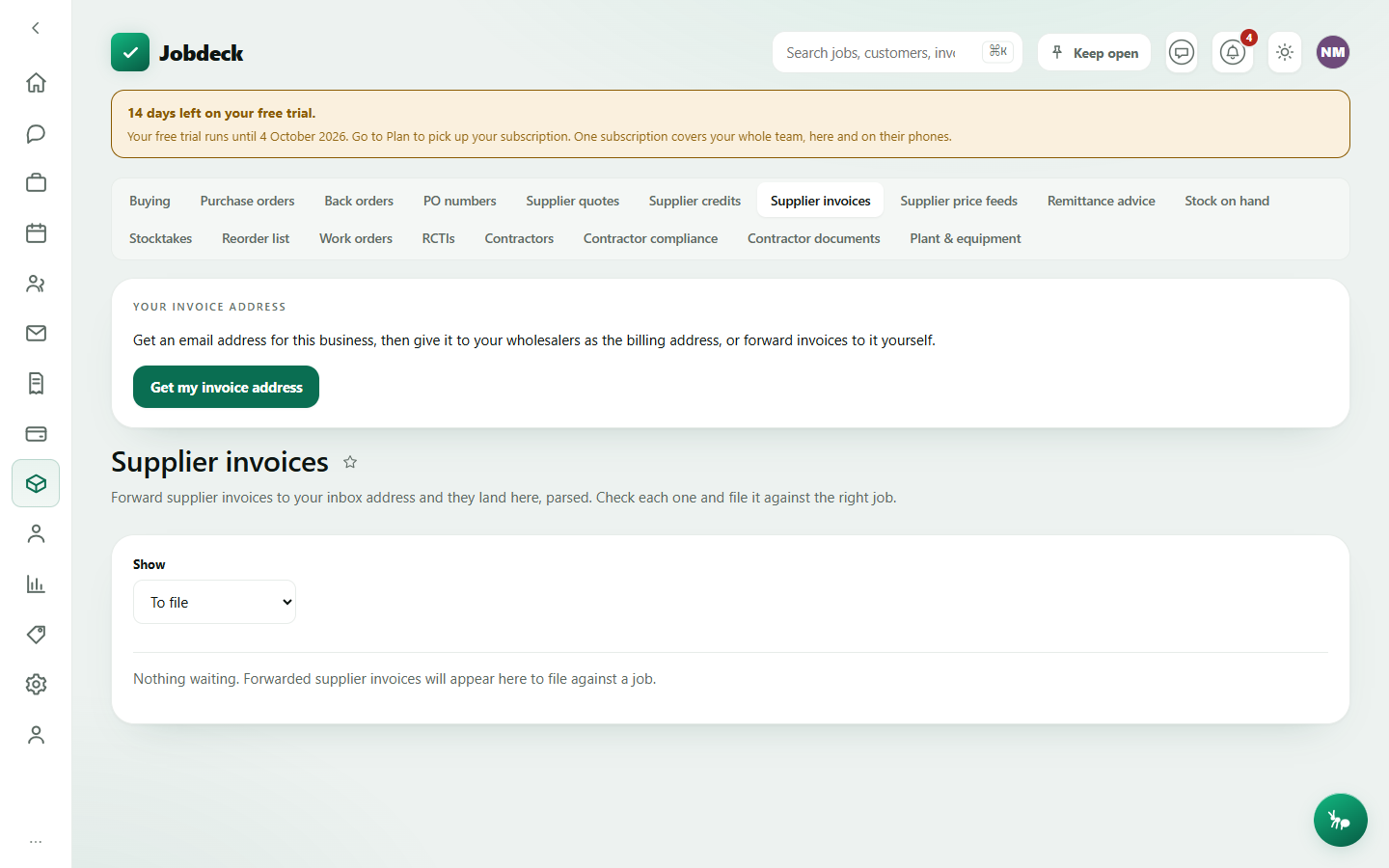
- Forward or BCC supplier invoices to a per-business email address and each one lands here, parsed — supplier, total and the job worked out from your PO number — ready to file against the right job as a real cost.
- Controls
- Show (pending / assigned / dismissed / all — nothing is ever deleted, so a bill dismissed by mistake is still reachable).
- Buttons
- Get my invoice address / Copy address; per item Assign (files it as a cost against a job — this is the step that puts it on the job's costs) or Dismiss; key in an amount by hand when Jobdeck couldn't read one off the PDF.
- On the page
- Each bill's supplier and amount, flagged with how Jobdeck read it (parsed cleanly, or couldn't work out a total — shown as an orange pill, never a confident $0.00).
Needs money access.
Supplier price feeds /supplier-price-feeds
- What it's for
- A wholesaler's price file, pulled on a schedule instead of downloaded by hand and imported manually every time — only buy prices are ever touched, never your sell prices.
- Buttons
- + New feed → supplier, name, the file's URL, how often, a hold threshold, an optional login header → Add feed. A feed starts "only when you press the button" — pull it once, look at what it would do, then turn a schedule on.
- On the page
- Each feed's health and last run; a HELD run — one whose middle price movement crosses the threshold you set — is the loudest thing on the page: a banner at the top, on the feed's own row, and the full reason in its run log, because a hold nobody sees is the same as no safeguard at all.
Needs both the settings (manage_settings) and money-access permissions — every figure on a price feed is a buy price.
Remittance advice /remittance-advice
- What it's for
- Tell a supplier which of their bills a payment covers — one advice per supplier, per day you paid them — so their accounts clerk doesn't ring to ask, or worse, apply the payment to the wrong invoice.
- Controls
- Search by supplier or date.
- Buttons
- Per payment Check it (preview the lines it covers) and Open PDF.
- On the page
- Every payment batch Jobdeck can produce advice for, picked from a list rather than a date field — nobody remembers which supplier was paid on which day. A batch covering more than one currency lists each in its own currency and states no single total.
Needs money access.
Stock on hand /stock
- What it's for
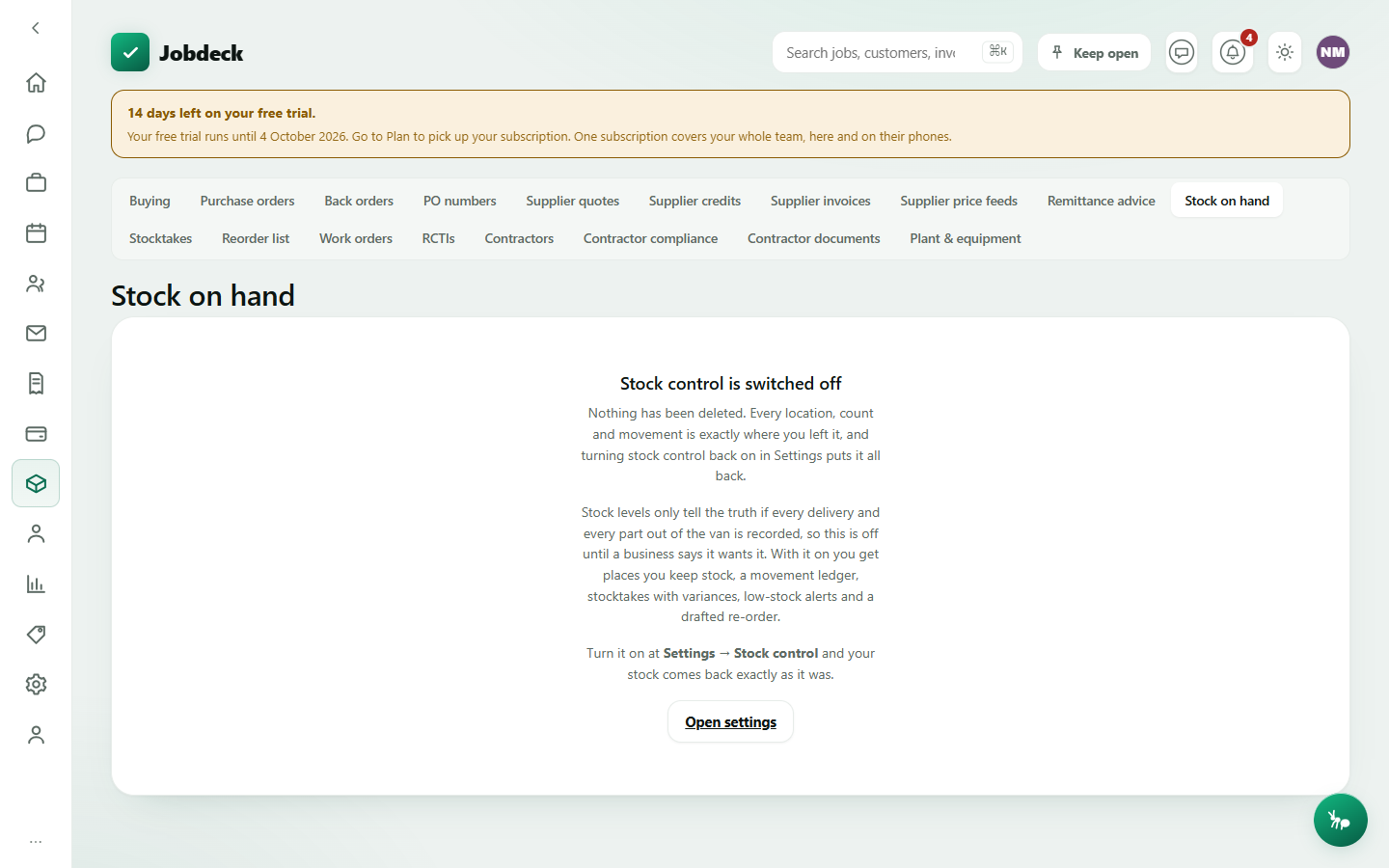
- What's on the shelf, in the van and on site, across every location you keep stock in. A level is never set by hand — it moves because a movement said so — so if a figure is wrong, the fix is a count on the Stocktakes screen, which records the discrepancy rather than typing over it.
- Controls
- Show retired locations; pick which location to view.
- Buttons
- + New location (a shed, a van, a site store — a location is retired, never deleted, so its movement history survives); Retire / bring back; Record movement (in or out, with a reason: purchase, used on a job, or a stocktake adjustment — the last two are written automatically by the job screen and a count, never typed to make an awkward variance disappear); Move stock somewhere else (a transfer — one movement with two ends, written together, so stock can never leave one location and not arrive at the other); History per item.
- On the page
- On-hand quantity, a state pill (out / low / ok), a re-order point you can set per location, and — with money access — unit cost and value.
Any member can read levels and move stock; a van belonging to someone can only be moved by its driver or a manager. Setting the re-order point and adding locations need extra permissions.
Stocktakes /stock-takes
- What it's for
- Count a location and keep what the count found. The point is the variance, not the new number — every line shows what you counted, what the system expected, and the difference, side by side, because that difference is the reason to count at all.
- Buttons
- Start counting → pick a location, an optional note → one count open at a time per location; count an item, typing the reason for any difference; Commit this count (writes the adjustments — nothing changes until you do) or Abandon.
- On the page
- Every count, its status (Counting / Committed) and when; the open count's lines, biggest difference first, with a warning if any difference is left unexplained.
Reorder list /stock-reorder
- What it's for
- Everything at or below its re-order point, across every location, worst first. Nothing sends anybody a notification off this list beyond an alert to owners and admins and a drafted order — Jobdeck says so plainly on the page, because a re-order list that looks like an alert system is worse than none: somebody stops checking, and nothing arrives.
- Buttons
- Per drafted order, pick a job to book it against → Raise as a purchase order (nothing is sent to the supplier until you then send it yourself from Purchase orders).
- On the page
- Drafted orders, one per supplier, kept up to date as the shelf moves — with on-hand, suggested order quantity (a question mark rather than a zero when it can't be worked out) and, with money access, unit cost and total.
Work orders /work-orders
- What it's for
- What you engaged a subbie to do, what you agreed to pay, and what he actually billed — without the agreed figure, the only number in the business is the one on his invoice, and an overcharge has nothing to be an overcharge against.
- Controls
- Four tabs: Work orders (the register), Billed vs agreed (variances), Unpaid bills, Paid bills; filter by contractor, status, one job, or search.
- Buttons
- Raise a work order → contractor, agreed price (blank means not priced yet — never read as $0.00), job (optional) → issues it, subject to the contractor's compliance check (see below); can be overridden with a typed reason.
- On the page
- Each order's status, what was agreed, what's been billed, and the variance between the two.
Needs money access. Filtering by contractor and raising a new order also need the contractor registry (owner/admin), so a member without it can still see every order already raised.
RCTIs /rcti manager
- What it's for
- Recipient created tax invoices — you raise the subbie's invoice for him, since you know what he did and the rate. The ATO allows it only with a written agreement on file, the subbie's ABN, a known GST-registration answer, and your own business registered for GST.
- Controls
- Two tabs: Register and Agreements; status filter on the register.
- Buttons
- New RCTI → Issue (blocked with the ATO's own reason if any condition above isn't met, never a generic "invalid"); PDF; Mark paid; Cancel; Delete (drafts only).
- On the page
- Reference, contractor with ABN and GST status, period, ex-GST/GST/total (GST shown as "Not known" rather than $0.00 when it hasn't been worked out), and status.
Contractors /contractors manager
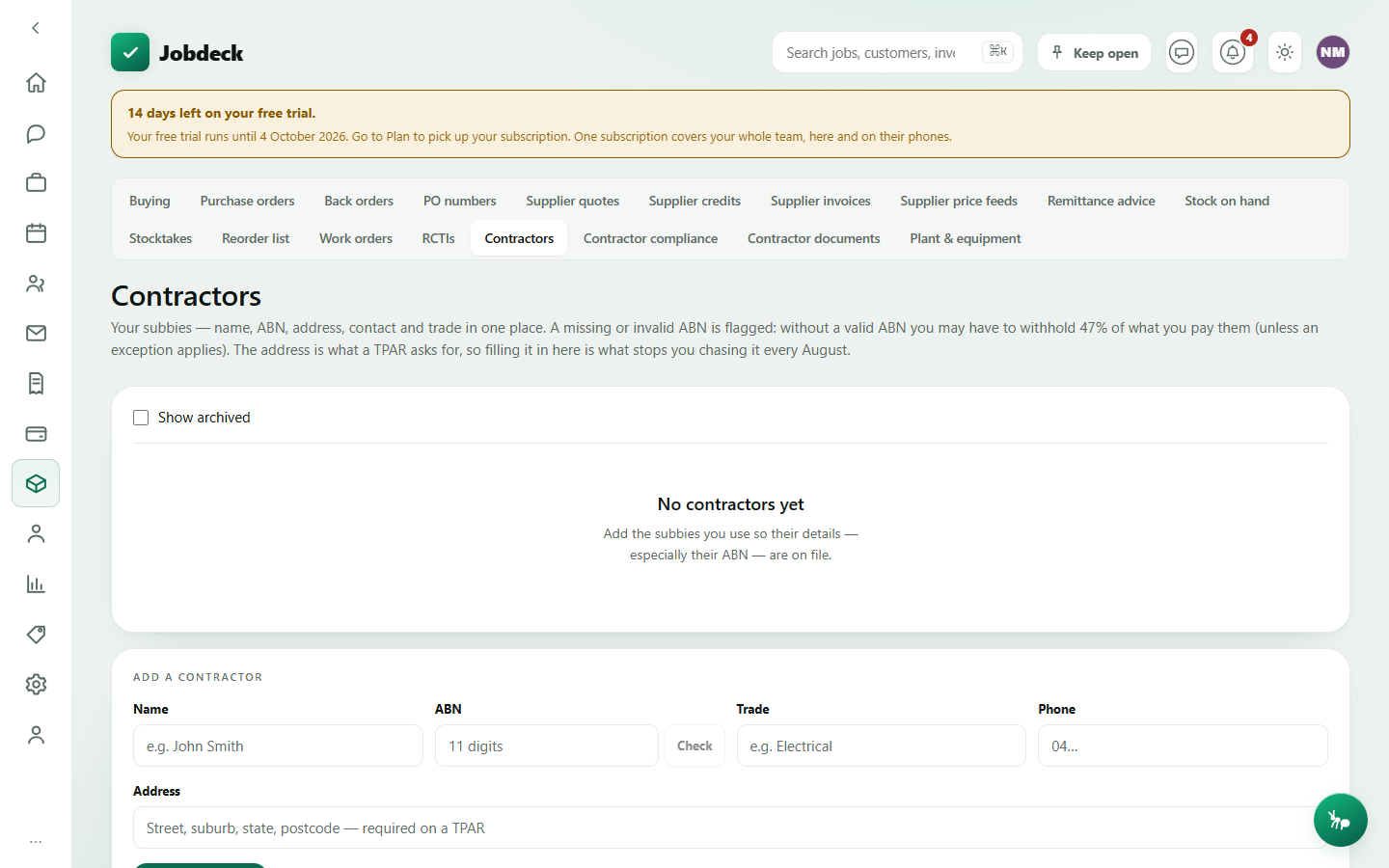
- What it's for
- Your subbies — name, ABN, address, contact and trade in one place. A missing or invalid ABN is flagged, because without a valid one you may have to withhold 47% of what you pay them. The address is what a TPAR asks for every August.
- Controls
- Show archived.
- Buttons
- Check an ABN against the ABR while adding a contractor; Add contractor; per row Archive/Unarchive, Delete.
- On the page
- Contractor rows with an ABN pill (✓ / Invalid ABN / No ABN).
Contractor compliance /contractor-compliance
- What it's for
- Which subbies have a document run out, which are close, and — the point of the page — every work order that was issued anyway on an override, with the typed reason. A gate whose exceptions are invisible is a gate that gets used once and then routed around forever.
- Controls
- Show the ones that are clear too.
- On the page
- Stat tiles including how many were issued on an override; the register of subbies with what's missing or expiring, checked against the business's own date; an "Issued anyway" table naming the work order, contractor, reason and who overrode it. If compliance checking isn't switched on for the business, the page says plainly that nothing here is actually stopping a work order yet.
Needs money access (or the read-only accountant seat) — deliberately not manager-only, since a compliance certificate carries no cost or rate.
Contractor documents /contractor-documents manager
- What it's for
- The register of insurance, licences and tickets for the subbies you use, with the expiry date each carries. This is the exact file the work-order check reads, so what it says here is what happens when you go to issue one.
- Buttons
- Pick a contractor; Record a document → what it is, expiry date (blank is recorded as "no expiry", never as valid or expired), name, policy/licence number, issuer → Save; Save an edited expiry per document; Remove.
- On the page
- "Can he be sent work?" — Clear, or blocked with the reason — plus what's expired, missing or expiring soon, and every document on file for the picked contractor.
Plant & equipment /plant manager
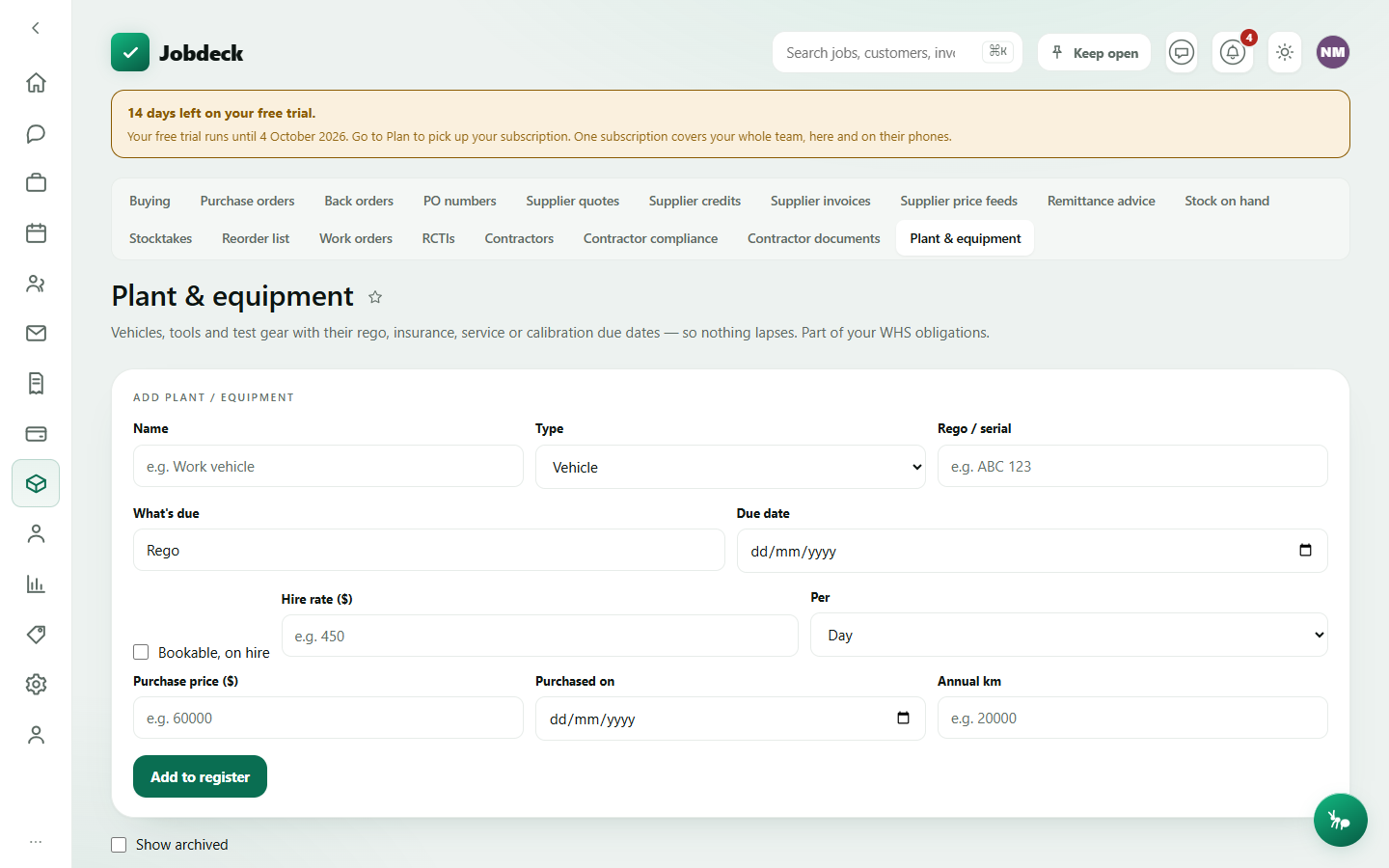
- What it's for
- A WHS register for vehicles, tools and test gear — rego, insurance, service and calibration due dates — so nothing lapses, plus who has a piece of gear right now and a service history.
- Controls
- Show archived; Bookings (for items marked bookable).
- Buttons
- Add to register → name, type, rego/serial, what's due and when, optionally bookable with a hire rate and (with money access) a purchase price → Save; per item Check out / Check in, Log service, Running costs, Make bookable, Archive, Delete; Book a bookable item against dates (a clash refuses and says what's in the way).
- On the page
- A status pill per item (Expired / Due soon / OK), who's holding it and since when, last serviced, and — with money access — running costs a year and cost per kilometre for vehicles.
Three of these were filed under Setup until recently. Contractors, contractor compliance and contractor documents, and Plant & equipment are registers somebody works in day to day, not settings configured once — they now live here under Buying rather than in Setup.